
Switchfly Widgets Integration Guide (1.0.0)
Download OpenAPI specification:
Embeddable travel widgets for partner sites.
Search Widget: Full-featured travel search (air, hotel, car, activities, bundles)
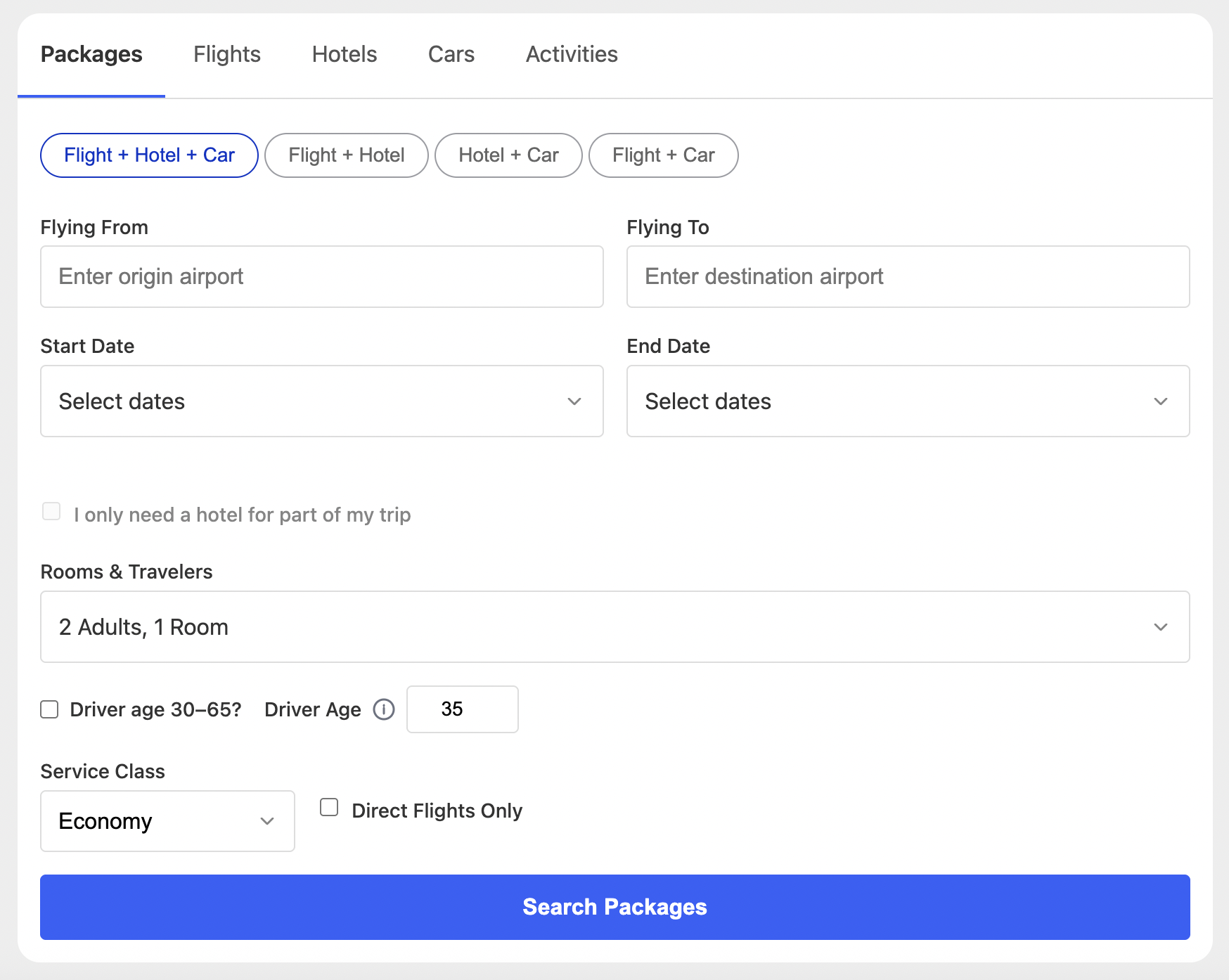
Hotel Deals Widget (in development): Showcase featured hotel deals with click-through to booking
User Carts Widget: Displays a user's in-progress and saved carts as a horizontally scrollable card row with deep-link CTAs
In development: Hotel Deals is not yet on the default production CDN bundle. Confirm availability with your Switchfly contact before integrating. User Carts is on the default production bundle.
The Switchfly Search Widget is a comprehensive travel search solution that adapts to your brand and customer needs. It provides a consistent, accessible user experience across all product types while offering extensive customization options for visual styling, language support, and product availability.
Supported Languages
The widget includes built-in translations for English, French, Spanish, Japanese, Simplified Chinese, and Thai. All UI text, labels, error messages, and validation prompts are automatically localized based on the locale parameter.
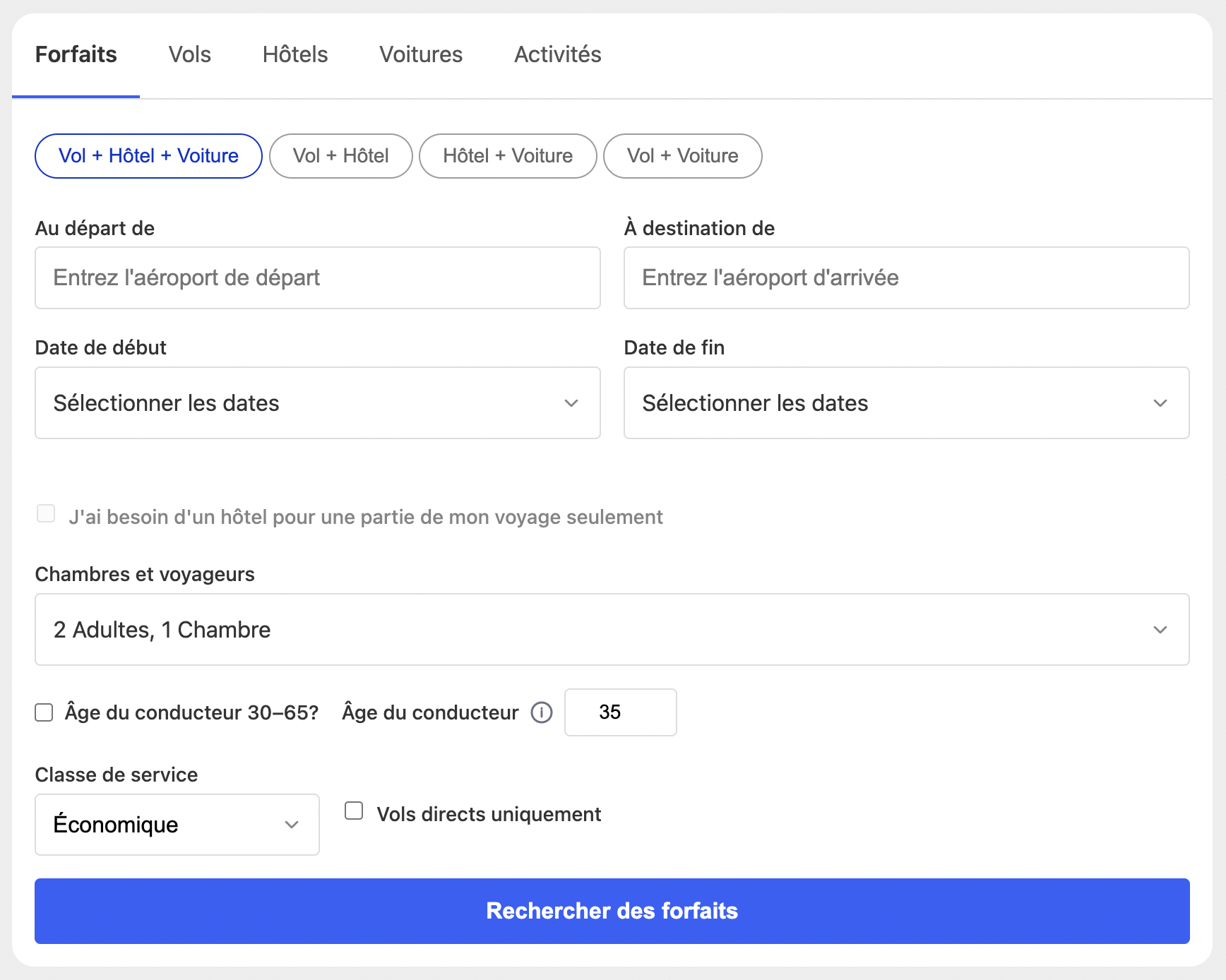
Custom Product Tabs
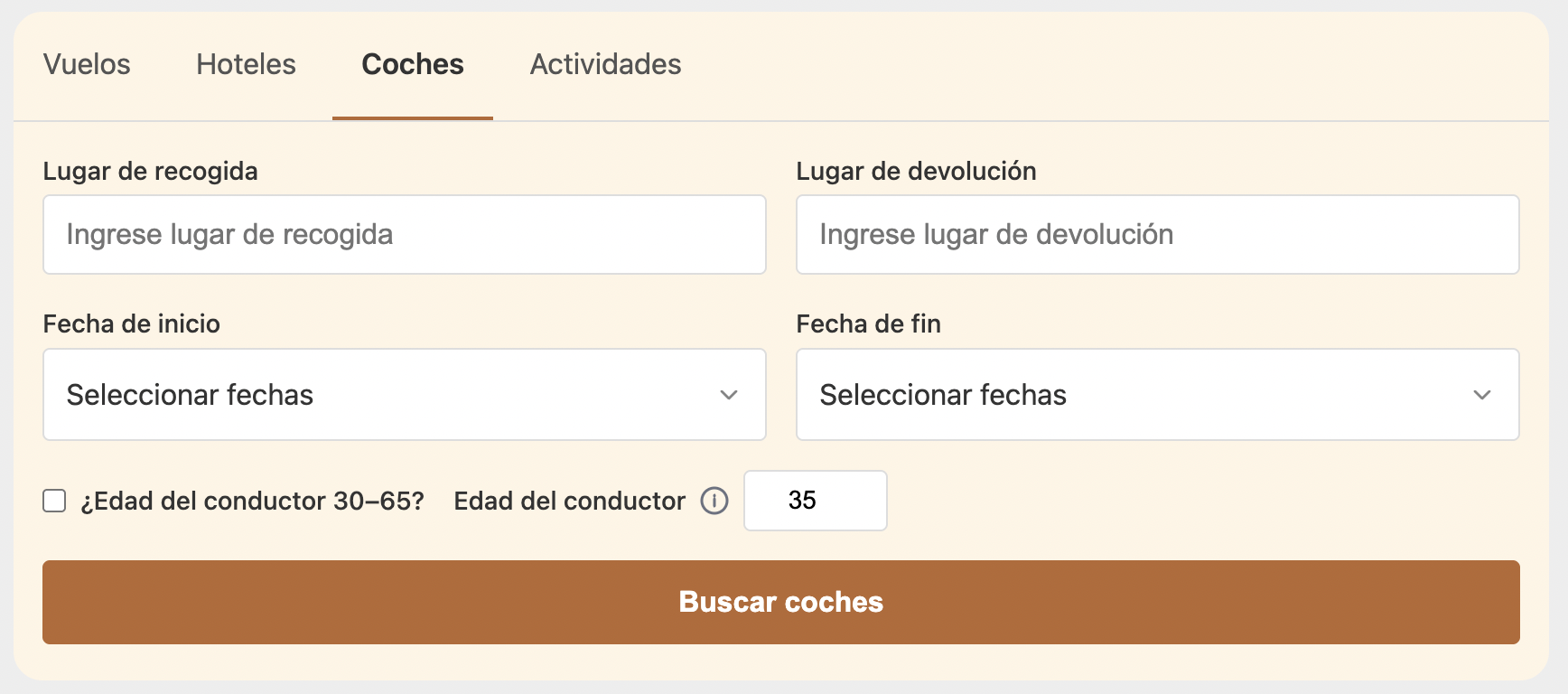
Product tabs are fully configurable—control which travel products appear (bundles, air, hotel, car, activities) and in what order. You can also inject custom external tabs (e.g., "Cruises" or "Deals") at specific positions within the tab row.

Branding & Theming
Colors, accents, and interactive states can be customized using branding tokens. The widget supports hex, RGB, HSL, and CSS variable formats, allowing seamless integration with your existing design system.
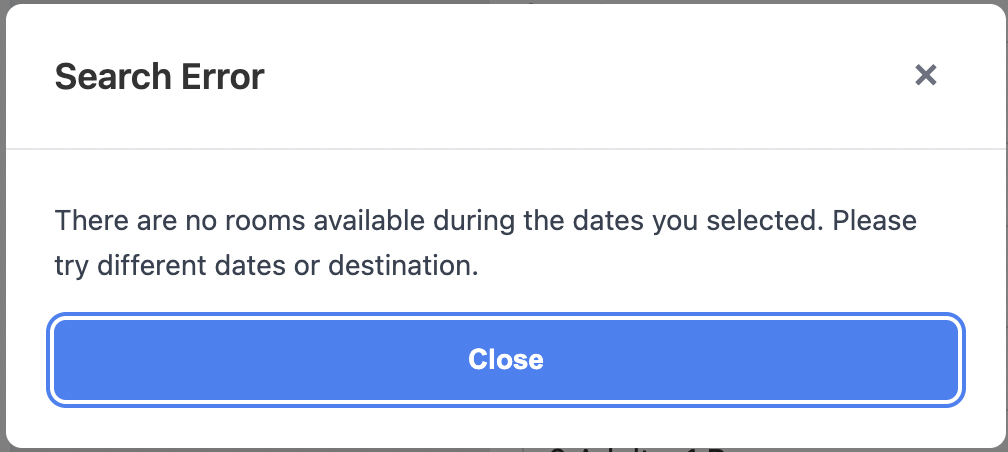
Search Errors & Validation
The widget includes comprehensive client-side validation and displays server-side errors returned from the booking platform. Error messages are localized and presented in accessible modal dialogs with clear messaging and recovery options.
Datepicker & UX Patterns
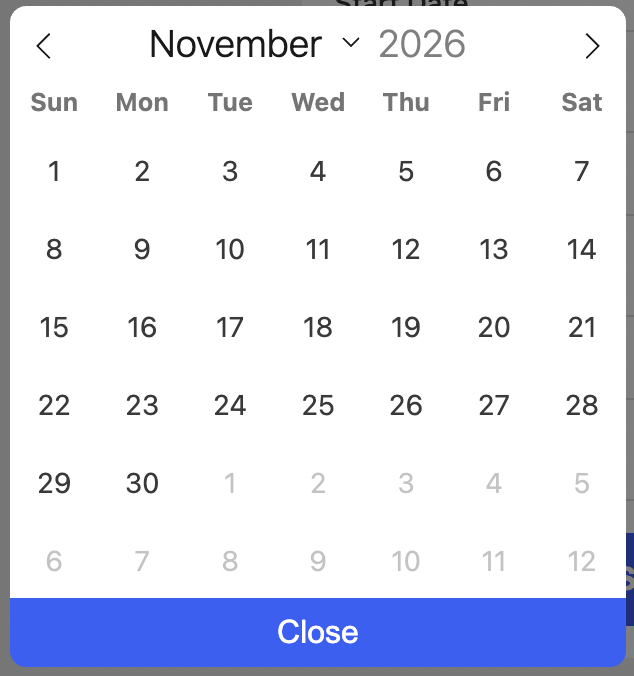
All date selection uses a consistent, compact datepicker interface with range highlighting, constraint enforcement (minimum/maximum dates, product-specific rules), and keyboard navigation support. Time selection is enabled for product types that require it (e.g., car rentals).
Horizontal Layout
Set layout: 'horizontal' to render all fields in a single inline row, designed for full-width hero placements (e.g. a homepage banner). Responsive CSS collapses the row to a two-column grid, then a single column, as the container narrows. Script embed only — see the layout option below for details.
Recent Searches
Opt-in: include recent in a custom availableProducts list to enable it. Off by default —
the widget's default product set does not include recent, so no history is stored and the
tab never appears unless explicitly enabled.
- A Recent tab appears in the product selection bar whenever the user has qualifying search history. The tab is hidden when no history exists.
- Up to 5 recent searches are stored, newest first.
- Each recent search is stored in
localStorageunder the keyswf_recent_searches, scoped to the CDN origin serving the widget iframe. Storage is shared across all pages that embed the widget from the same origin. - Iframe embed caveat: the CDN origin is a different origin than the host page, so this is third-party storage from the browser's perspective. Safari ITP, Firefox Total Cookie Protection, and Chrome's storage partitioning increasingly partition or block cross-origin iframe storage by the top-level site — in practice this means recent-search history may not reliably persist, or may not actually be shared across different host sites as described above, depending on the visitor's browser. Storage failures are handled silently (no error, history is simply not remembered) rather than breaking the widget. Script embed does not have this limitation — storage there is always same-origin with the host page.
- Clicking a recent search card re-fires the original search immediately (no form prefill step).
- Entries are automatically aged out when:
- The travel start date has passed (or falls within the product's minimum advance-booking window).
- The entry is older than 90 days.
⚠️ IMPORTANT: targetUrl is Required
All Switchfly widgets require an explicit targetUrl parameter. Widgets will not function and will display a configuration error if targetUrl is not provided.
targetUrlspecifies your booking platform domain (e.g.,https://your-booking-site.com)- Widgets use
targetUrlas the base URL for API calls and search result navigation - Widgets do not default to any Switchfly environment - this prevents accidental requests to internal/test systems
- Both script embed and iframe embed modes require
targetUrl
SSO-Gated Loyalty Clients: For booking platforms protected by SSO (Single Sign-On), widgets work seamlessly *when configured properly to do so within Switchfly). When a user submits a search, the platform preserves the originally requested search URL through the SSO authentication flow and automatically redirects the user back to their search results after successful login. NOTE This is currently only supported for Switchfly's Standard Loyalty SSO.
- Minimum supported width: 260px (the search form's CSS
min-width; below the available content width the widget overflows/truncates rather than shrinking further) - Recommended embed width: 360px+
- Note: at a 320px viewport, account for host-page/iframe padding — the form needs ~260px of available content width, so keep total horizontal padding under ~60px.
Widget Host vs Target URL
When integrating Switchfly widgets, it's important to distinguish between two URLs:
- Widget Host (
your-cdn.com): The domain where widget HTML pages and JavaScript assets (IIFE bundle) are served from. This is used in:- Script embed:
<script src="https://your-cdn.com/dist/switchfly-widgets-search.iife.js">(or the catchallswitchfly-widgets.iife.js) - Iframe embed:
<iframe src="https://your-cdn.com/widgets/search/...">
- Script embed:
Bundle options:
switchfly-widgets-search.iife.js— search widget only (recommended for clients embedding only the search widget)switchfly-widgets.iife.js— all widgets (use when embedding multiple widget types on the same page)Target URL (
targetUrl): The booking/search platform domain where the widget redirects users when they submit a search. This is configured as:- Script embed:
targetUrl: 'https://your-booking-site.com'(JavaScript config property) - Iframe embed:
targetUrl=https%3A%2F%2Fyour-booking-site.com(URL parameter, URL-encoded)
- Script embed:
In most deployments, the widget host and target URL are the same domain (e.g., both https://your-booking-site.com). However, they can be different if widgets are hosted on a separate CDN.
Shared Configuration (configure())
When embedding multiple widgets on the same page, use SwitchflyWidgets.configure() to set
shared options once. All subsequent create* calls inherit these values; per-widget options
always take precedence over the global config.
Shared fields (recognised by every widget except Identity):
targetUrl, cobrand, locale, availableProducts, defaultProductType, visitorId, crossDomainIdentity, idType
The Identity Widget is a special case: it only accepts cookieDomain
and onIdentityResolved directly, and doesn't consume shared config for its own behavior at
all — it only ever writes visitorId into shared config for other widgets to read.
visitorId is the sole identity used for cart lookup, in both anonymous and logged-in
states — there's no separate authenticated-user field layered on top of it. It's an opaque
lookup key, not necessarily an anonymous one: how you populate it depends on the integration
pattern below.
Integration patterns for visitorId:
- Anonymous or mixed anonymous/logged-in traffic (most hosts): deploy the
Identity Widget. It always resolves a persistent anonymous UUID
(cookie-backed) and sets it as
visitorIdin shared config, present before and after login — so pre-login activity isn't orphaned once the visitor logs in. Consumers like the User Carts Widget inherit it automatically. LeaveidType(below) at its default in this pattern. - Always-logged-in hosts (pages are never reachable without login): skip the Identity
Widget entirely — there's no anonymous state to bridge. Instead, pass the user's own
authenticated ID directly as
visitorId(per-widget, or once viaconfigure()) — any shape (int, UUID, email, etc.) — and setidType: 'profile'so the user-carts service knows it's a durable authenticated identity, not an anonymous one. - Core on a different root domain than the widget host (e.g. a client-owned shopping
domain): also set
crossDomainIdentity: true(below) sovisitorIdreaches Core via the deep-link URL, since Core can't read the widget host's domain cookie directly.
crossDomainIdentity (boolean, default false) controls whether widgets that navigate to
Core append visitorId to the outbound deep link's URL params. Only needed when Core is
served from a different root domain than the widget host, since Core can't read the widget
host's domain cookie directly in that case. Leave false for same-root-domain hosts — Core
already reads the visitorId cookie there.
idType (string, default 'visitor') tells the user-carts service how to interpret
visitorId — 'visitor' for an anonymous Identity-Widget-sourced id, or 'profile' for a
logged-in user's own authenticated id. Currently only read by the
User Carts Widget, since it's the only widget calling that service.
<script src="https://your-cdn.com/dist/switchfly-widgets.iife.js"></script>
<script>
  // Set once — inherited by every widget on the page
  SwitchflyWidgets.configure({
    targetUrl: 'https://your-booking-site.com',
    cobrand: 'partner123',
    locale: 'en',
    availableProducts: ['bundle', 'hotel', 'car'],
    defaultProductType: 'bundle',
  });

  // Per-widget calls only need what's unique to each widget
  SwitchflyWidgets.createSearchWidget({ containerId: 'search-widget' });
  SwitchflyWidgets.createHotelDealsWidget({ containerId: 'hotel-deals', searchParam: 'LAS', clientName: 'partner123' });
</script>
configure() can be called multiple times — each call merges into the existing global config.
Options passed directly to create* always win over global config.
Direct Script Embed (Search Widget)
Load the widget bundle and call createSearchWidget():
<div id="search-widget"></div>
<script src="https://your-cdn.com/dist/switchfly-widgets-search.iife.js"></script>
<script>
  SwitchflyWidgets.createSearchWidget({
    containerId: 'search-widget',
    targetUrl: 'https://your-booking-site.com',
    locale: 'en',
    cobrand: 'partner123',
    searchParam: '|city:7321',
    prefillDestinationLabel: 'San Diego',
    searchDateFormat: 'dd/mm/yy',
    customTab1Label: 'Cruises',
    customTab1Url: 'https://example.com/cruises',
    customTab1Position: 'last',
    branding: {
      tokens: {
        accentColor: '#0a66c2'
      }
    }
  });
</script>
Iframe Embed (Search Widget)
<iframe
  src="https://your-cdn.com/widgets/search/?targetUrl=https%3A%2F%2Fyour-booking-site.com&locale=en&searchParam=%7Ccity:7321&prefillDestinationLabel=San%20Diego&cobrand=partner123&searchDateFormat=dd/mm/yy&customTab1Label=Cruises&customTab1Url=https://example.com/cruises&customTab1Position=last&accentColor=%230a66c2"
  width="100%"
  height="600"
  frameborder="0">
</iframe>
Direct Script Embed (Hotel Deals Widget)
Note: clientName, cobrand, and locale must all be present together for the deals
service to return results — omitting any of them silently returns an empty widget.
<div id="hotel-deals"></div>
<script src="https://your-cdn.com/dist/switchfly-widgets.iife.js"></script>
<script>
  SwitchflyWidgets.createHotelDealsWidget({
    containerId: 'hotel-deals',
    targetUrl: 'https://your-booking-site.com',
    clientName: 'partner123',
    cobrand: 'partner123',
    searchParam: 'LAS',
    locale: 'en',
    maxItems: 6,
    title: 'Featured Hotels',
    branding: {
      tokens: {
        accentColor: '#dc2626'
      }
    }
  });
</script>
Iframe Embed (Hotel Deals Widget)
<iframe
  src="https://your-cdn.com/widgets/hotelDeals/?targetUrl=https%3A%2F%2Fyour-booking-site.com&clientName=partner123&cobrand=partner123&searchParam=LAS&locale=en&maxItems=6&accentColor=%23dc2626"
  width="100%"
  height="600"
  frameborder="0">
</iframe>
Identity Widget (Script Embed only)
Resolves a visitor identity for the host page and sets it in shared config so other widgets
inherit it automatically via SwitchflyWidgets.configure(). Renders no UI.
Always resolves a persistent anonymous visitorId — a UUID cached in a single cookie
(not namespaced by cobrand; a visitor on the page has one identity regardless of cobrand) —
present before and after login, so pre-login activity isn't orphaned once the visitor logs
in. This widget only makes sense for hosts with anonymous (pre-login) traffic; an
always-logged-in host doesn't need it at all — see the integration patterns under
Shared Configuration above.
<script src="https://your-cdn.com/dist/switchfly-widgets-identity.iife.js"></script>
<script>
  SwitchflyWidgets.createIdentityWidget({
    onIdentityResolved({ visitorId }) {
      // ...
    }
  });
</script>
Sharing the visitorId cookie with a booking domain on the same site: pass
cookieDomain (e.g. .aavacations.com) to set the cookie's Domain attribute so it's
visible to other subdomains of the same apex domain, not just the exact host the widget
runs on. Omit it for a host-only cookie (default).
| Option | Type | Required | Description |
|---|---|---|---|
cookieDomain |
string | — | Explicit Domain attribute for the visitorId cookie (e.g. .aavacations.com). Omit for a host-only cookie. |
onIdentityResolved |
function | — | Called once resolution completes. Receives ({ visitorId }). visitorId is null if cookies are blocked or inaccessible. |
User Carts Widget (Script Embed only)
Fetches a user's in-progress and saved carts from the user-carts service and renders them as a horizontally scrollable row of cards. Each card deep-links back into the booking platform with the original search parameters pre-filled.
Requires a resolved visitorId — normally inherited automatically from the
Identity Widget via shared config, or passed directly if you manage
identity yourself.
Supported product types:
| Product | Card shows | Deep link |
|---|---|---|
| Hotel | Property name, city/state, check-in → check-out dates, guest count | Hotel search results pre-filtered to the property (switchflyId) |
| Car rental | Company name, pickup location, pickup → return dates/times | Car search results pre-filtered to the car type (car_id = carCode:companyCode) |
| Activity | Activity name, location | Activity search results with activity pre-selected (activity_id) |
| Flight | Route (departure → arrival airports/names), airline, dates, traveler count | Flight search pre-filtered to the specific flight(s) (departure_flight_id/return_flight_id) |
Package (multi-product) carts: a cart with more than one product populated (e.g. a hotel
- a flight) renders as a single combined card rather than picking just one product — an icon
per product type, the combined product names/route, the trip-wide date range (earliest start
to latest end across all products), and the combined traveler count (from the itinerary-level
ageClassCounts, not summed per-product). "Continue booking" builds oneBUNDLE-type deep link covering every product, including the specific flight, car, and activity selections where applicable. If the hotel stay doesn't span the full trip (e.g. flying in a day before check-in), the deep link marks it as a partial room stay so Core books the hotel dates correctly alongside the wider trip dates.
Cart status display rules:
IN_PROGRESS— shown with a "Recently Viewed" badge, but only when the cart's travel start date is more than 24 hours awaySAVED— shown with a "Saved" badge, but only when the cart's travel start date is today or laterCLOSED,BOOKED— always hidden (not rendered)- Any cart whose itinerary has no resolvable travel start date is hidden regardless of status
- If no carts pass these checks, the widget renders nothing — there is no empty-state message
Card dismissal:
The × button on each card marks the cart (and its itinerary entries) CLOSED server-side,
then reloads the card row from the API. A 404 (cart already gone) is treated the same as
success. If the request fails for any other reason, the card stays in place and the button
re-enables so the visitor can retry.
API call on mount:
GET {targetUrl}/switchboard/user-carts/carts?userId={visitorId}&idType={idType}&clientName={clientName}
If visitorId can't be resolved (not in config, and no domain cookie either) at mount time,
the widget renders nothing and logs a console message — it does not show an error to the visitor.
API call on dismiss:
DELETE {targetUrl}/switchboard/user-carts/carts/{cartId}
Returns 200 on success or 404 if the cart is already gone — both are treated as
dismissal succeeding.
Quick start (via Identity Widget — recommended):
<script src="https://your-cdn.com/dist/switchfly-widgets-identity.iife.js"></script>
<script>
  SwitchflyWidgets.createIdentityWidget({});
</script>

<div id="user-carts"></div>
<script src="https://your-cdn.com/dist/switchfly-widgets-user-carts.iife.js"></script>
<script>
  SwitchflyWidgets.createUserCartsWidget({
    containerId: 'user-carts',
    clientName: 'partner123',
    targetUrl: 'https://your-booking-site.com',
  });
</script>
visitorId is inherited automatically from the Identity Widget via shared config — no need
to pass it directly.
Quick start (visitorId already known):
<div id="user-carts"></div>
<script src="https://your-cdn.com/dist/switchfly-widgets-user-carts.iife.js"></script>
<script>
  SwitchflyWidgets.createUserCartsWidget({
    containerId: 'user-carts',
    visitorId: '8e6e9c1a-4b2f-4a3e-9c0a-1f2b3c4d5e6f',
    clientName: 'partner123',
    targetUrl: 'https://your-booking-site.com',
  });
</script>
Fixed-height card row:
Set trackHeight to pin the card row to a specific pixel height. This also controls the card
image height, which expands to fill the available space. Omit to size by content.
SwitchflyWidgets.createUserCartsWidget({
  // ...
  trackHeight: 220,
  branding: { tokens: { accentColor: '#dc2626' } }
});
Only applies to the normal (row) layout — ignored whenever the card is stacked (handheld
width, or cardLayout: 'stacked'), since a value sized for the row layout would clip a
stacked card's taller content instead of the intended fixed-height effect.
| Option | Type | Required | Description |
|---|---|---|---|
mockCarts |
boolean | — | When true, renders two representative sample carts (a single hotel, and a hotel + flight package) instead of calling the carts API. clientName is not required in this mode. targetUrl is still required — deep links still point at a real booking platform. Not documented for production use; intended for previewing the widget without live cart data. |
clientName |
string | ✅ | Client identifier passed to the carts API (clientName query param). Not required when mockCarts is true. |
cobrand |
string | — | Applied as nav=<cobrand> on click-through deep links. Required for production — there is no universal default; if omitted, deep links silently drop nav= and fall back to the target URL's default cobrand session. |
locale |
string | — | One of en (default), es, fr, ja, zh (Simplified), zh-TW (Traditional), th. Translates the widget's own UI text (title, status labels, CTA, occupancy counts) and formats dates locale-aware. Falls back to English for unsupported values. |
translationOverrides |
object | — | Override specific translation keys for the widget's configured locale. Supported keys: carts.defaultTitle (default Pick up where you left off, used only when title is unset), carts.status.recentlyViewed (Recently Viewed), carts.status.saved (Saved), carts.cta.continueBooking (Continue booking →), productCount.hotel.one/.other (Room/Rooms), productCount.air.one/.other (Flight/Flights), productCount.car.one/.other (Car/Cars), productCount.activity.one/.other (Activity/Activities) — the package-card count badge currently only ever renders the .other (plural) form — occupancy.room/.adult/.childInfant.one/.other (standalone hotel/flight card occupancy line, e.g. "1 Room, 1 Adult"), packageOccupancy.room/.adult/.childInfant.one/.other (package card occupancy line, e.g. "2 rooms, 3 adults"). Other keys are ignored. |
targetUrl |
string | ✅ | Booking platform base URL used both to construct deep-link URLs on cards and to derive the user-carts API endpoint ({targetUrl}/switchboard/user-carts) — switchboard is always co-located with the booking site. |
visitorId |
string | — | Identity used to look up cart history. Normally inherited from the Identity Widget via shared config, with a direct domain-cookie fallback if that hasn't run — pass it directly only if you manage identity yourself. If it can't be resolved at all, the widget renders nothing rather than an error. |
idType |
string | — | Tells the user-carts service how to interpret visitorId: visitor (default) for an anonymous id from the Identity Widget, or profile when visitorId is a logged-in user's own authenticated id (e.g. an always-logged-in host with no anonymous state). |
containerId |
string | — | DOM element ID for the widget container. Defaults to user-carts-widget. |
title |
string | — | Heading displayed above the card row. Defaults to 'Pick up where you left off'. |
status |
string | — | Cart statuses to fetch. One of: BOTH (default), IN_PROGRESS, SAVED. BOTH appends &status=IN_PROGRESS&status=SAVED to the API request. |
linkTarget |
string | — | Where the "Continue booking" link on each cart card opens. One of: _self (default, same tab), _blank (new tab). Any other value falls back to _self. |
cardLayout |
string | — | One of: auto (default) or stacked. auto stacks each card's image above its content only when the widget's own container is rendered narrow (e.g. a handheld viewport, or a narrow sidebar placement on an otherwise wide page) — detected via a CSS container query, not the page viewport. stacked forces that compact layout unconditionally, regardless of available width. |
trackHeight |
number | — | Fixed height in pixels for the card row (e.g. 220). Controls card height. Omit to size by content. Only applies to the normal (row) layout — ignored when the card is stacked (see cardLayout), since a row-sized height would clip a stacked card's taller content. |
searchDateFormat |
string | — | Date format used in deep-link URL params (date1/date2). One of: mm/dd/yy (default), dd/mm/yy, yy/mm/dd, yyyy/mm/dd. |
utmSource |
string | — | UTM source appended to all deep-link URLs. Defaults to switchfly. |
utmMedium |
string | — | UTM medium appended to all deep-link URLs. Defaults to cart_widget. |
utmCampaign |
string | — | UTM campaign appended to all deep-link URLs. Defaults by cart status: saved_cart for SAVED carts, abandoned_cart for IN_PROGRESS carts. |
utmContent |
string | — | UTM content appended to all deep-link URLs. No default. |
branding.tokens.fontFamily |
string | — | CSS font-family value (e.g. "Noto Sans, sans-serif"). Inherits widget default if blank. |
branding.tokens.bgColorWidget |
string | — | Widget background color. Defaults to #ffffff. |
branding.tokens.accentColor |
string | — | Primary accent color (status badge background, CTA links). Defaults to #3060f9. |
branding.tokens.accentColorHover |
string | — | Accent hover state color. Defaults to #0634C6. |
postMessage API
Widgets communicate with parent windows via postMessage for various events:
Widget → Parent Messages:
SWF_WIDGET_HEIGHT- Height changed (for iframe auto-resize)swf.widgets.search.navigate- Navigation request (required for sandboxed iframes)
Complete Parent Page Snippet (Iframe Embed):
<!-- Error handler: include once per page. Handles ERROR_CODE/ERROR_MESSAGE redirects from Core. -->
<script src="https://your-cdn.com/dist/switchfly-widgets-error-handler.iife.js"></script>
<!-- Optional: set locale explicitly (auto-detected from <html lang> or ?locale= otherwise) -->
<script>SwitchflyWidgetsErrorHandler.init({ locale: 'en' });</script>

<script>
var iframe = document.getElementById('search-widget-iframe');

// Listen for widget messages
window.addEventListener('message', function(event) {
  // Validate origin matches iframe src
  try {
    var iframeOrigin = new URL(iframe.src).origin;
    if (event.origin !== iframeOrigin) return;
  } catch (e) {
    return;
  }

  var data = event.data;

  // Auto-resize iframe
  if (data && data.type === 'SWF_WIDGET_HEIGHT') {
    var height = parseInt(data.height, 10);
    if (height > 0) {
      iframe.style.height = height + 'px';
    }
  }

  // Handle navigation requests (required for sandboxed iframes)
  if (data && data.type === 'swf.widgets.search.navigate') {
    var targetUrl = data.payload && data.payload.url;
    var openInNewTab = data.payload && data.payload.openInNewTab;

    if (targetUrl) {
      if (openInNewTab) {
        window.open(targetUrl, '_blank');
      } else {
        window.location.assign(targetUrl);
      }
    }
  }
});
</script>
Sandboxed Iframe Navigation (HubSpot, etc.)
Problem: Some CMS platforms (like HubSpot) render iframes in sandboxed contexts without the allow-top-navigation permission. When the widget tries to navigate via window.top.location.href, the browser throws a security error.
Solution: The widget automatically detects iframe mode and sends navigation requests via postMessage instead of attempting direct navigation. The parent page listener performs the actual navigation.
How It Works:
- Widget detects it's running in an iframe (
window.self !== window.top) - On search submit, widget sends
swf.widgets.search.navigatemessage to parent - Parent listener validates origin and performs navigation via
window.location.assign()
Message Format:
{
  type: 'swf.widgets.search.navigate',
  payload: {
    url: 'https://booking-site.com/shopping?...',  // Full search URL
    reason: 'submit',                               // Always 'submit' for now
    openInNewTab: false                             // true if Cmd/Ctrl+Click
  }
}
Configuration Options:
useParentNavigation(boolean, default: auto-detect) - Force postMessage navigation even for non-iframe embedspostMessageOrigin(string, default:'*') - Target origin for postMessage (more secure than wildcard)
Example with Custom Origin:
SwitchflyWidgets.createSearchWidget({
  containerId: 'search-widget',
  targetUrl: 'https://your-booking-site.com',
  useParentNavigation: true,
  postMessageOrigin: 'https://your-parent-site.com'
});
URL Parameter Notes
- Colors must be URL-encoded (
#0a66c2→%230a66c2) cobrandparameter becomesnav=<value>in the final booking search URL- Only include parameters you want to override (all are optional)
- Destination prefill (
searchParam):- Text search:
searchParam=San%20Francisco- no label needed, resolves via typeahead API - Airport codes:
searchParam=|airport:LAX(URL-encoded:%7Cairport:LAX) - no label needed, resolves via typeahead - Numeric city IDs:
searchParam=|city:7321(URL-encoded:%7Ccity:7321) - REQUIRESprefillDestinationLabel=San%20Diego- Typeahead API cannot resolve numeric city IDs, so display label must be provided explicitly
- Both parameters are required for numeric IDs to prefill correctly
- Text search:
- Custom tabs:
- Supports up to 2 custom tabs with external URLs
- Custom tab URL is required for tab to render; label defaults to "Link" if omitted
- Position options:
first,last, orafter:<product>(e.g.,after:air) - Custom tabs open in new tab with
noopener,noreferrer - Custom tabs never become the active product tab
- Search date format:
- Use
searchDateFormatto control how dates are formatted in the Core deep-link URL (date1/date2 params) - Options:
mm/dd/yy(default),dd/mm/yy,yy/mm/dd,yyyy/mm/dd - This ONLY affects the URL format sent to the booking platform
- Does NOT change datepicker UI, on-screen date display, or locale-based formatting
- Use
For developers who need complete control over UI and want to build custom search interfaces, the Switchfly JavaScript SDK provides direct access to location APIs and URL building without using pre-built widgets.
When to Use the SDK
Pre-built widgets (iframe or script embed) cover most integration scenarios with minimal effort. Use the JavaScript SDK only when you need complete UI control — custom forms, custom styling, or deep integration with an existing framework or design system.
For a full comparison of all three integration approaches (iframe embed, script embed, and SDK), see the Choosing an Integration Method section below.
Installation
IIFE bundle (no build step — recommended for CMS and marketing pages):
<script src="https://cdn.switchfly.com/widgets/latest/switchfly-widgets.iife.js"></script>
<script>
  const sdk = SwitchflyWidgets.createClient({
    targetUrl: 'https://your-booking-site.com',
    cobrand: 'YourCobrand'
  });
  // sdk.locations.suggest(...), sdk.search.buildUrl(...)
</script>
ES Modules (recommended for framework/build-tool projects):
import { createClient } from 'https://your-cdn.com/packages/sdk/src/index.js';
NPM (when published):
npm install @switchfly/sdk
import { createClient } from '@switchfly/sdk';
Quick Start Example (Hotel Search)
Complete working example showing location autocomplete and search URL generation:
<!DOCTYPE html>
<html>
<head>
  <title>Custom Hotel Search</title>
</head>
<body>
  <form id="hotelSearchForm">
    <input type="text" id="destination" placeholder="Enter city" autocomplete="off" required>
    <div id="autocompleteResults"></div>

    <input type="date" id="checkin" required>
    <input type="date" id="checkout" required>

    <button type="submit">Search Hotels</button>
  </form>

  <script type="module">
    import { createClient } from 'https://your-cdn.com/packages/sdk/src/index.js';

    // Initialize SDK client
    const sdk = createClient({
      targetUrl: 'https://your-booking-site.com',
      locale: 'en-US'
    });

    let selectedLocation = null;
    let debounceTimer = null;

    const destinationInput = document.getElementById('destination');
    const autocompleteResults = document.getElementById('autocompleteResults');
    const form = document.getElementById('hotelSearchForm');

    // Location autocomplete
    destinationInput.addEventListener('input', async (e) => {
      const query = e.target.value.trim();

      clearTimeout(debounceTimer);
      selectedLocation = null;

      if (query.length < 2) {
        autocompleteResults.innerHTML = '';
        return;
      }

      debounceTimer = setTimeout(async () => {
        try {
          const response = await sdk.locations.suggest({
            query,
            locationType: 'DESTINATION',
            productTypes: 'ROOM'  // Use 'ROOM' for hotel searches
          });

          const locations = response?.data?.locations || [];

          // Render results
          autocompleteResults.innerHTML = locations.map(loc => `
            <div class="autocomplete-item" data-location='${JSON.stringify(loc)}'>
              ${loc.nameDisplayValue || loc.displayValue}
            </div>
          `).join('');

          // Handle selection
          autocompleteResults.querySelectorAll('.autocomplete-item').forEach(item => {
            item.addEventListener('click', () => {
              const loc = JSON.parse(item.dataset.location);
              selectedLocation = loc;
              destinationInput.value = loc.nameDisplayValue || loc.displayValue;
              autocompleteResults.innerHTML = '';
            });
          });

        } catch (error) {
          console.error('Autocomplete error:', error);
        }
      }, 300);
    });

    // Form submission
    form.addEventListener('submit', (e) => {
      e.preventDefault();

      if (!selectedLocation) {
        alert('Please select a destination');
        return;
      }

      // Build search URL
      const searchInfo = {
        type: 'HOTEL',
        location: selectedLocation.search,  // Location token like '|city:7321'
        fromDate: document.getElementById('checkin').value,
        toDate: document.getElementById('checkout').value,
        rooms: [{ adults: 2, childAges: [] }]
      };

      const url = sdk.search.buildUrl(searchInfo);

      console.log('Search URL:', url.href);
      window.location.href = url.href;  // Navigate to search results
    });
  </script>
</body>
</html>
API Reference
createClient(config)
Create an SDK client instance. Available as a named import (createClient) in ES module / NPM usage, and as SwitchflyWidgets.createClient(config) when loaded via the IIFE bundle.
Parameters:
config.targetUrl(string, required): Target booking platform URL (e.g.,'https://your-booking-site.com')config.locale(string, optional): Locale string (e.g.,'en-US','fr','es','ja')config.cobrand(string, optional): Cobrand identifier for analytics/trackingconfig.dealsApiUrl(string, optional): Base URL for the deals service API gatewayconfig.timeout(number, optional): Default request timeout in milliseconds (default:10000)config.headers(object, optional): Custom headers for API requestsconfig.fetch(function, optional): Custom fetch implementation
Returns: SDK client instance with locations, search, and utils modules
Example:
const sdk = createClient({
  targetUrl: 'https://your-booking-site.com',
  locale: 'en-US',
  cobrand: 'partner123',
  timeout: 15000
});
sdk.locations.suggest(options)
Search for location suggestions (autocomplete).
Parameters:
options.query(string, required): Search query (minimum 2 characters recommended)options.locationType(string, required): Location type'ORIGIN'- Departure locations (airports)'DESTINATION'- Arrival/destination locations (cities, airports, hotels)'ORIGIN_DESTINATION'- Both origin and destination
options.productTypes(string, required): Comma-separated product types'AIR'- Flights/airports'ROOM'- Hotels/accommodations (note: useROOM, notHOTEL)'CAR'- Car rentals'ACTIVITY'- Activities/experiences- Examples:
'AIR','ROOM','AIR,ROOM'
options.includeHotels(boolean, optional): Include individual hotel properties in resultsoptions.originLocation(string, optional): Origin location token for route-based filteringoptions.crsName(string, optional): Filter by CRS system nameoptions.provider(string, optional): Filter by provideroptions.signal(AbortSignal, optional): AbortSignal for request cancellation
Returns: Promise